
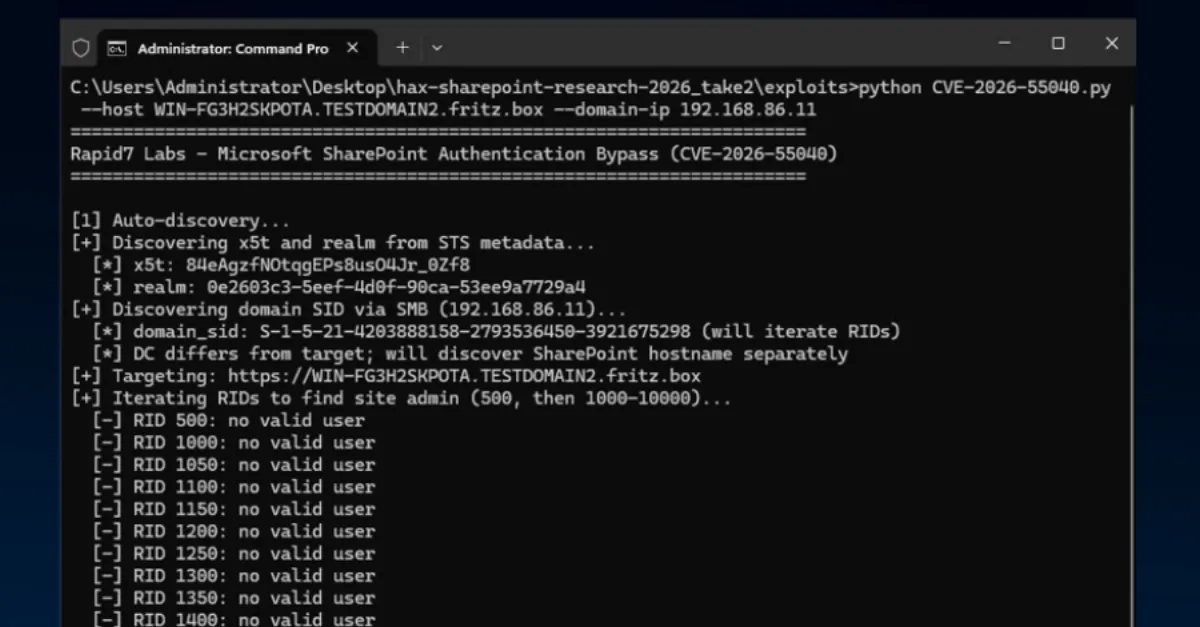
Public PoC Release Leads to Active Exploitation of SharePoint Login Bypass
Attackers are actively exploiting a SharePoint authentication bypass after a public proof-of-concept release, putting sensitive company data at risk.
Cybercriminals have begun actively targeting a weakness in Microsoft SharePoint that allows them to bypass the normal login process, according to a new report. The attacks started after security researchers publicly released proof-of-concept (PoC) code, which demonstrates how the flaw can be used. SharePoint is a widely used Microsoft platform for document management, team collaboration, and intranet sites, often storing sensitive company information. This development means that organizations using SharePoint could be at risk of unauthorized access, even if they have strong password policies in place.
An authentication bypass is a serious security flaw. Normally, when someone tries to log in to a system, the system checks that the person has valid credentials, such as a username and password. With an authentication bypass, an attacker can trick the system into letting them in without those credentials, effectively walking through a locked door without a key. A proof-of-concept is a small piece of code or a demonstration that shows a vulnerability is real and can be exploited. When a PoC is released publicly, it often acts as a starting point for malicious actors, who can quickly turn it into a full working attack. In this case, the public release led directly to active exploitation, meaning real attackers are now using the technique against real targets.
For website owners, IT teams, and businesses, this is a reminder that the window between a vulnerability becoming public and attackers using it can be extremely short. SharePoint is frequently connected to other corporate systems, such as email, file servers, and customer databases. If an attacker gains access to SharePoint without proper authentication, they could read confidential documents, steal personal or financial data, install malware, or move deeper into the network. The impact can range from data loss to regulatory fines and reputational damage. Even organizations that do not use SharePoint should pay attention, because the same pattern applies to many software platforms: once exploit code is public, attacks rise quickly.
The immediate advice for SharePoint administrators is to apply any available security updates from Microsoft as soon as possible, check access logs for unusual logins, and restrict SharePoint access to trusted networks or use a virtual private network (VPN). Enabling multi-factor authentication (MFA) adds another layer of protection, because even if an attacker gets past the authentication bypass, they still need a second factor, such as a code from a phone, to fully log in. For larger IT environments, monitoring for unexpected changes to user accounts or file access can help detect an intrusion early.
Beyond SharePoint, this incident underscores why managed security matters. For website owners who rely on external hosting providers, choosing a service that actively monitors for threats and applies security updates can reduce the time a known vulnerability remains open. AEU Hosting offers security-first managed WordPress hosting with automatic updates and proactive monitoring, helping customers stay protected even when new exploit code appears in the wild. While the current issue affects SharePoint specifically, the core lesson applies broadly: public proof-of-concept code is a signal to patch and harden your systems immediately.
How to Protect Yourself
- If you or your company uses SharePoint, ask your IT team or hosting provider to install the latest security updates from Microsoft right away.
- Turn on multi-factor authentication (a second step to verify your identity, like a code from your phone) for SharePoint accounts, so a stolen password or login bypass alone is not enough to get in.
- Watch for unusual activity in your SharePoint account, such as files you did not open or changes you did not make, and report it to IT.
- Limit SharePoint access to only the people who need it, and avoid exposing it directly to the internet if possible.
- Do not open suspicious links or attachments in emails, even if they appear to come from SharePoint, because attackers may use them to gain initial access.
- If you manage a website or server, apply security patches as soon as they are released and consider using a managed hosting provider that handles updates for you.