
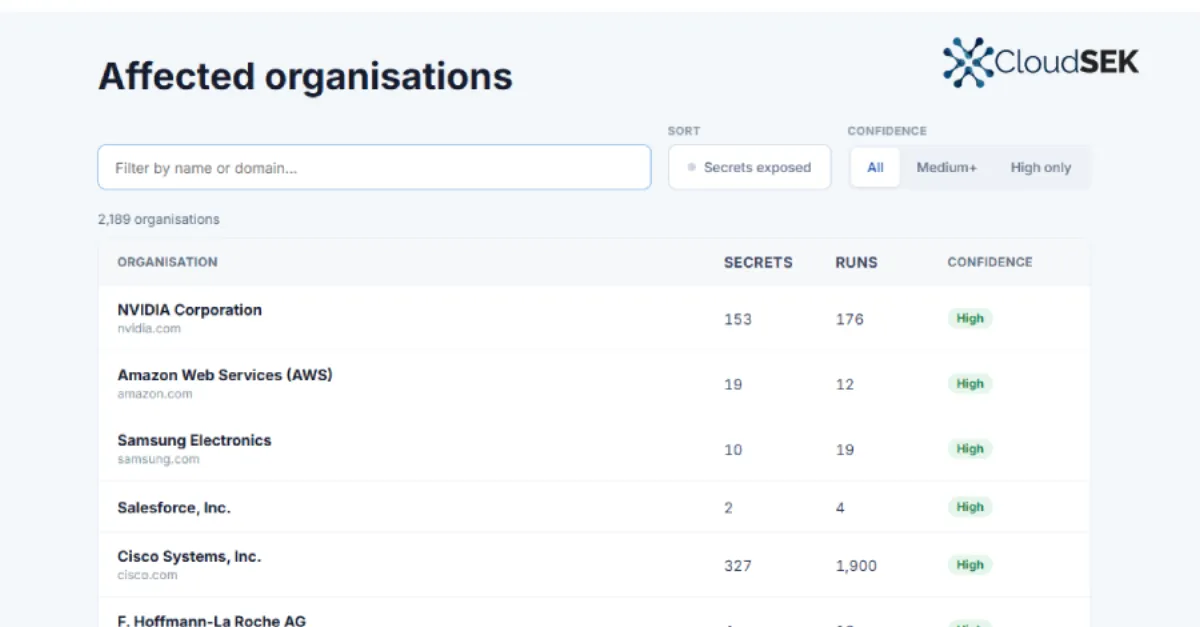
Malicious Versions of LiteLLM Connected to Trivy Security Incident May Have Affected More Than 2,100 Organizations
A supply chain attack involving compromised LiteLLM packages, reportedly linked to a breach of the Trivy security scanner, may have exposed thousands of organizations to malicious code.
A recent security alert has raised concerns across the software development community after reports indicated that malicious versions of LiteLLM, a popular open-source tool used to integrate large language models into applications, may have been distributed following a compromise of the Trivy vulnerability scanner. According to the report, more than 2,100 organizations could have been exposed to the harmful releases, highlighting the growing risk of supply chain attacks that target the very tools developers trust.
LiteLLM is an open-source project that provides a unified interface for calling various large language model APIs, making it easier for developers to switch between providers and manage their AI integrations. Trivy, on the other hand, is a widely used security scanner that checks container images, file systems, and code repositories for known vulnerabilities. The reported incident suggests that an attacker gained access to the Trivy project's infrastructure or release process and used that access to publish tampered versions of LiteLLM, thereby redirecting the trust users placed in Trivy's security validation.
A supply chain attack of this nature is particularly dangerous because developers and automated systems often pull software packages from registries without manually inspecting each update. If a malicious package masquerades as a legitimate release, it can be installed in countless applications, potentially leading to data theft, unauthorized access, or further malware distribution. In this case, the connection to Trivy is significant because Trivy is commonly used to scan for vulnerabilities before software is deployed, so a compromise of that tool could undermine the security checks that organizations rely on to catch malicious code.
While the full technical details of how the compromise occurred are still emerging, the potential exposure of over 2,100 organizations underscores the importance of verifying the integrity of every software component in a development pipeline. Organizations that use LiteLLM or Trivy should immediately review their dependency lists, check for any unexpected or recently published versions, and compare the package hashes against official sources. They should also monitor their systems for unusual behavior, such as unexpected network connections or high CPU usage, which could indicate that a malicious package has been running.
For website owners and businesses that rely on third-party software, this incident is a reminder that even widely trusted tools can be compromised. To reduce the risk, organizations should adopt a defense-in-depth approach: use multiple security layers, keep a detailed inventory of all software components, and implement strong access controls on build and deployment systems. Regularly rotating API keys and credentials, along with conducting periodic security audits, can also help limit the damage if a malicious package does slip through.
As organizations look to strengthen their defenses against such software supply chain risks, services that provide security-first IT consulting and infrastructure hardening can be valuable. AEU-I, for example, offers security-focused consulting that can help businesses assess their current exposure, review their software dependencies, and implement stronger controls around their development and deployment processes. By taking proactive steps now, organizations can better protect themselves against the next wave of supply chain attacks.
How to Protect Yourself
- Download software only from the official project website or a trusted package manager, and double-check the download link before you install anything.
- If you use LiteLLM or Trivy, check the list of installed packages and look for any version that was released very recently or that you do not remember installing.
- Turn on automatic security updates for your operating system and any software you use, but first verify that the update source is the official one.
- Use a simple file integrity checking tool (like a checksum verifier) to compare the fingerprint of any downloaded file with the fingerprint published on the developer's website.
- Keep a written list of all the software tools your business depends on, and review that list at least once a month to spot anything new or unexpected.