
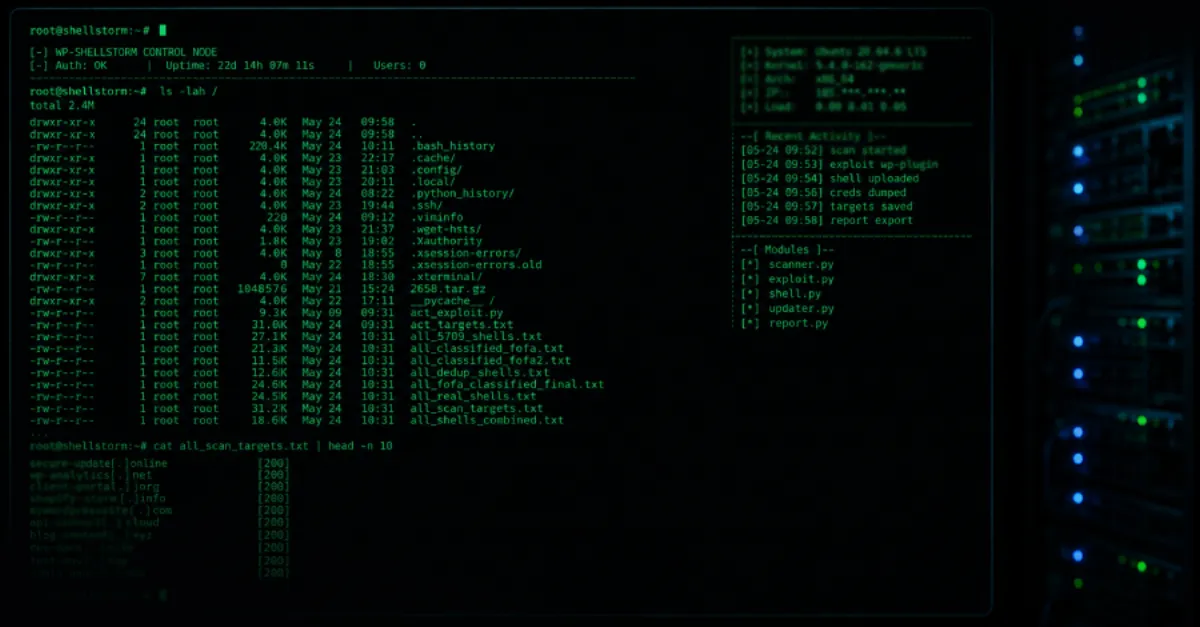
Thousands of WordPress Sites Backdoored by WP-SHELLSTORM, Exposed by Unsecured Hacker Server
A misconfigured attacker server has revealed WP-SHELLSTORM, a campaign that secretly installed backdoors on thousands of WordPress websites, putting visitor data and site control at risk.
Security analysts have uncovered a large-scale operation targeting WordPress websites after a server used by attackers was inadvertently left exposed on the internet. The server revealed a campaign dubbed WP-SHELLSTORM, which is responsible for backdooring thousands of WordPress installations. A backdoor is a secret method that allows unauthorized access to a system, bypassing normal login procedures. This discovery provides website owners a rare look into the infrastructure of such an attack, emphasizing the importance of vigilance.
WordPress powers a significant portion of the web, making it a frequent target for cybercriminals. In typical backdoor campaigns, attackers exploit vulnerabilities in plugins, themes, or outdated core software to inject malicious code. A vulnerability is a weakness in software that can be exploited to cause harm. Once in place, the backdoor lets them remotely control the site, steal data, host phishing pages, or distribute malware to visitors. Malware is harmful software designed to damage or gain unauthorized access. The exposure of this hacker-controlled server sheds light on the scale and methods used, though the full technical breakdown of the WP-SHELLSTORM payload has yet to be publicly detailed.
For website owners, the WP-SHELLSTORM incident is a stark reminder that security maintenance cannot be an afterthought. Even a single compromise can lead to severe consequences, including loss of customer trust, blacklisting by search engines, and financial damage. WordPress sites often become victims because administrators delay updates, use weak passwords, or rely on unvetted plugins. Attackers can hide backdoors in seemingly legitimate files, making them hard to spot with a superficial check. Regular, thorough monitoring of site files, user accounts, and traffic is essential to catch these hidden threats early.
Immediate action is Recommended for anyone running a WordPress site. Check for unfamiliar user accounts with administrative privileges, look for modified files with recent timestamps, and examine any unexpected redirects or popups that visitors might encounter. Running a malware scan with a trusted security plugin can detect known backdoor signatures, but some advanced threats may evade signature-based detection. Restoring from a clean backup, made before the compromise window, remains one of the most reliable recovery methods. However, prevention is always better than cure.
Managed hosting services can significantly reduce the risk of such compromises by handling many security tasks automatically. For example, AEU Hosting provides fully managed WordPress hosting with built-in security features like automatic core updates, plugin vulnerability patching, and proactive malware scanning, which help block backdoor installations before they can take root. While no service guarantees total protection, a properly configured managed environment removes many common attack vectors. Combining such hosting with strong access controls and regular backups creates a layered defense that makes it far harder for campaigns like WP-SHELLSTORM to succeed.
How to Protect Yourself
- Update WordPress, all plugins, and themes to the latest versions immediately because updates often close security holes that attackers exploit.
- Change all passwords for your WordPress admin accounts, FTP, and hosting control panel, using strong unique passwords that you do not reuse elsewhere.
- Install a well-known security plugin (like Wordfence or Sucuri) and run a full scan to detect any suspicious code or backdoors on your site.
- Check your website's user list in the WordPress dashboard for any unknown administrator accounts and remove them right away.
- If you suspect your site is infected, restore it from a clean backup that you made before the attack happened, as this removes the malicious files safely.