
Malware Campaign Exploits Fake Reviews, AI Voiceovers, and VirusTotal to Hijack Crypto Wallets
A crypto clipper operation uses phony reviews, AI-generated narration, and bogus VirusTotal comments to distribute wallet‑stealing malware, posing a threat to anyone handling cryptocurrency.
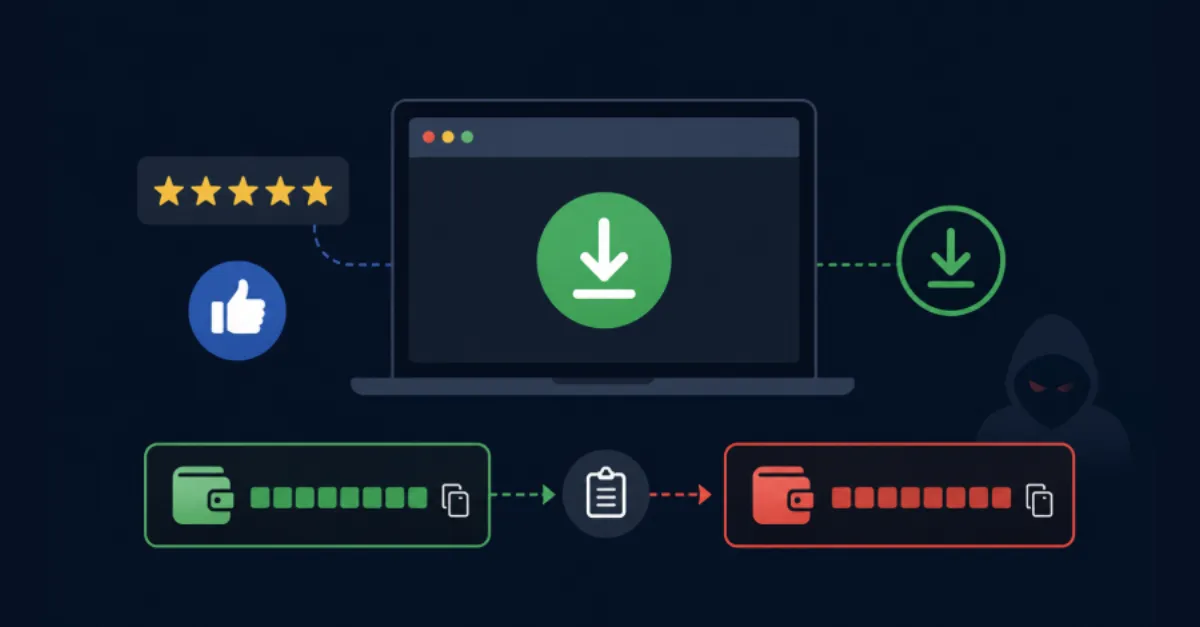
A newly identified malware campaign is using a combination of social engineering tricks and technical deception to spread a dangerous type of threat known as a crypto clipper. Unlike traditional information stealers that harvest passwords or session tokens, a crypto clipper quietly monitors the victim’s clipboard — the temporary storage area where copied text sits before being pasted. When it detects a cryptocurrency wallet address, the malware instantly swaps it out for an address controlled by the attacker. Because these strings of characters are long and hard to memorize, the victim rarely notices the switch and ends up sending their digital coins directly to the thief. This campaign has been observed leveraging three unusually manipulative tactics: fake user reviews, AI‑generated voiceovers, and misleading comments on the VirusTotal file‑scanning platform.
The attackers first create the illusion of trust by flooding download portals, forums, and social media with glowing but entirely fabricated reviews. These posts promote what appears to be a legitimate cryptocurrency tool, trading bot, or wallet app, falsely claiming it is safe and effective. Often accompanied by fake screenshots or doctored transaction histories, the reviews lure inexperienced users into downloading the malicious software from unofficial sources. Once installed, the clipper sits silently in the background, intercepting every copy‑and‑paste operation involving crypto addresses without any visible sign that something is wrong.
To make the scam even more convincing, the criminals produce video tutorials or promotional clips using AI‑narrated audio — also known as synthetic voice or text‑to‑speech — that sounds remarkably human. These videos walk the viewer through a fake setup process, demonstrating how the supposedly useful application works, while in reality directing them to the malware. Because the narration sounds professional and avoids the grammatical errors common in earlier scams, it lowers the viewer’s suspicion and increases the chance of a successful infection. For website owners and businesses that accept cryptocurrency payments, this method highlights the risk of employees being socially engineered into using compromised tools on company devices.
Perhaps the most devious element of this campaign is the abuse of VirusTotal, a widely trusted online service that lets users upload a file and have it scanned by dozens of antivirus engines. The attackers post comments on VirusTotal’s analysis pages claiming that the uploaded file is clean, often with fake technical explanations or references to nonexistent approvals. Because these remarks appear directly on the scanning results, less tech‑savvy users may assume they come from experts and decide the software is safe. In reality, the criminals are simply gaming a platform that is meant to provide transparent security analysis, turning a helpful tool into an endorsement for their malware.
For businesses hosting e‑commerce sites, WordPress blogs, or any online platform that deals with cryptocurrency transactions, the consequences of such an infection can be severe. A clipper operating on a web developer’s machine could, for example, alter a donation address or a payment gateway address in the site’s code, diverting funds without the owner’s knowledge. Even if the website itself is secure, a compromised administrative workstation opens a backdoor for financial fraud. Because these attacks rely on changing data at the moment it is pasted, they can bypass many traditional security checks that only examine files at rest. A useful layer of protection for organisations is to employ a private, secure Domain Name System (DNS) service such as AEU DNS, which can block known malicious domains before any connection is established, stopping download attempts at the network level.
How to Protect Yourself
- Only download software from the official website of the developer, and double‑check the URL for subtle misspellings.
- Be skeptical of overly positive reviews on unofficial forums or download sites, especially if they all sound similar or lack any real detail.
- Do not trust VirusTotal comments to decide if a file is safe; instead, look at the detection names from multiple antivirus engines and research them independently.
- Use a secure Domain Name System (DNS) service that filters out known malicious websites to prevent accidental downloads of malware.
- Before sending cryptocurrency, check the first and last few characters of the wallet address you pasted against what you originally copied to spot any swap.
- Keep your computer’s antivirus software updated and enable real‑time scanning, which can detect and block many clipper variants.