
Cryptocurrency-Stealing Malware Pushed Through Fake Reviews, AI Voiceovers, and VirusTotal Comments
A new campaign uses fake reviews, AI-generated narration, and misleading VirusTotal comments to spread a crypto clipper that swaps copied wallet addresses.
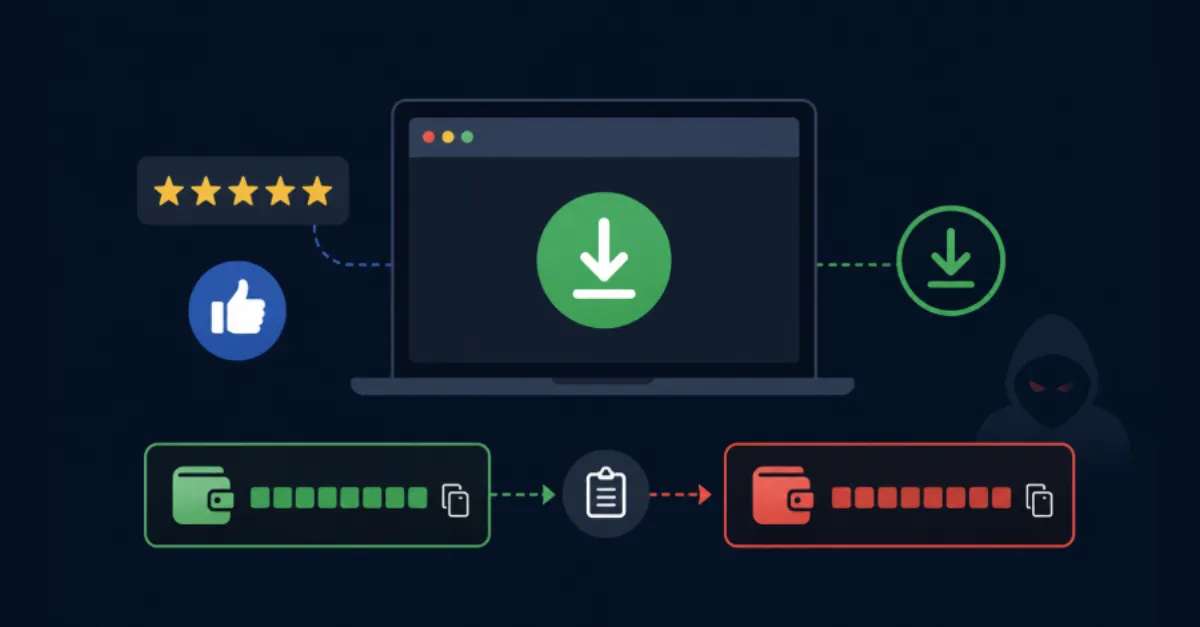
A newly documented cryptocurrency-stealing campaign is using a trio of social engineering tricks to spread malware that silently swaps wallet addresses. The malware, known as a crypto clipper, monitors the computer's clipboard, the temporary storage where copied text is held. When a user copies a cryptocurrency wallet address, the clipper replaces it with an address controlled by the attacker. If the user pastes the address without noticing the switch, any funds sent go directly to the thief.
To reach more victims, the operators behind this campaign are abusing fake reviews, AI-generated voiceovers, and misleading comments posted on VirusTotal, a free online service that scans files with dozens of antivirus engines. Fake reviews are posted on app stores, forums, and social media sites to make malicious software appear legitimate and popular. A user searching for a wallet or trading tool may see glowing reviews and feel confident enough to download the program, not realizing the reviews were written by the attackers themselves.
The campaign also uses narrators generated by artificial intelligence (AI). Advances in AI now allow anyone to create realistic human-sounding voiceovers for videos. The attackers create professional-looking tutorials or product demonstrations that use AI-generated voices to explain how to install and use their fake software. Because the narration sounds natural and the video appears polished, viewers are more likely to trust the content and follow the instructions, inadvertently installing the clipper.
The third technique involves VirusTotal comments. When a file is uploaded to VirusTotal for analysis, the service shows detection results from many security vendors. Attackers often post comments on their own malware samples, claiming the file is safe, that detections are false positives, or that the antivirus engines are outdated. An inexperienced user who sees a comment saying 'this is a false positive, it's safe' may ignore the red flags from reputable antivirus engines and run the file anyway.
For website owners, the risk goes beyond personal devices. Attackers often compromise legitimate websites to host malicious files or redirect visitors to fake download pages. If your site is used in this way, it can damage your reputation and expose your visitors to infection. Regular security audits, strong passwords, and keeping your content management system up to date are essential, as is choosing a hosting provider that offers built-in security monitoring. AEU Hosting's managed WordPress environment includes security measures that help block malicious scripts and keep your site and visitors safer from threats like this.
Users should treat any cryptocurrency-related software with extra caution. Verify the official website and download links, double-check wallet addresses before sending funds, and rely on actual antivirus detection rather than comments from strangers.
How to Protect Yourself
- Before sending cryptocurrency, double-check the entire wallet address carefully, character by character, even if you copied it from a website or message.
- Only download cryptocurrency wallets and trading tools from the official website or app store, never from links in videos, reviews, or forum posts.
- If you use VirusTotal to check a file, ignore any comments claiming the file is safe; instead rely on the detection results from well-known antivirus engines.
- Keep your computer and browser updated, and run a reputable antivirus program that can detect clipboard hijackers.
- Be suspicious of online reviews or video tutorials that seem overly positive or professionally produced for a little-known crypto tool, as they may be fake.