
Malicious npm Packages Exploit unpkg CDN Mirrors to Serve Fake Cloudflare CAPTCHA Pages
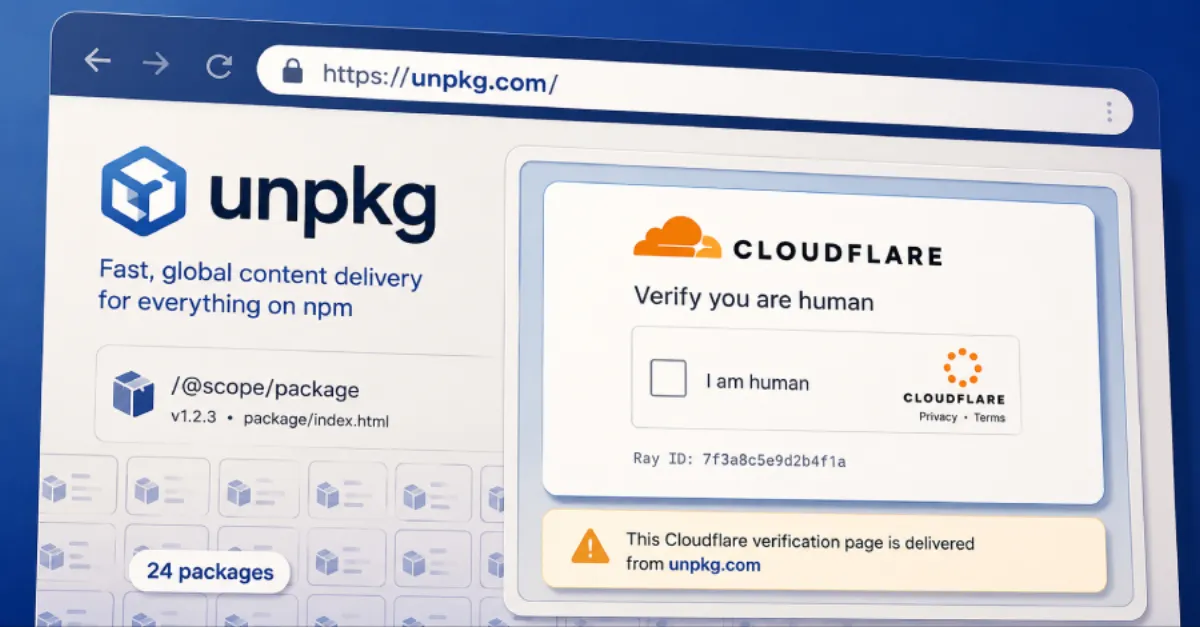
Researchers discovered 24 malicious npm packages that abuse unpkg mirrors to display fake Cloudflare CAPTCHA pages, posing a risk of credential theft and malware infections.
A new cybersecurity threat has emerged involving 24 malicious npm packages that exploit unpkg mirrors to serve counterfeit Cloudflare CAPTCHA pages. This finding highlights the ongoing risks associated with the software supply chain and the abuse of legitimate content delivery networks (CDNs) for malicious purposes.
For readers without a technical background, npm (Node Package Manager) is a widely used registry for JavaScript code, which developers download and integrate into their projects. unpkg serves as a content delivery network (CDN) that mirrors npm packages, allowing files to be accessed from a distributed network of servers. Attackers have found a way to abuse these unpkg mirrors to host pages that imitate Cloudflare's CAPTCHA verification screen, a common security measure used by websites to confirm that visitors are human.
The fake Cloudflare CAPTCHA pages are designed to look authentic. When a user encounters one, they may be prompted to solve a quick challenge, such as clicking on traffic lights or typing a distorted word. However, these pages are a facade. Instead of verifying the user, they can be used to trick individuals into revealing sensitive information like passwords, usernames, or credit card numbers. In some cases, unsuspecting users could be directed to download malware, unknowingly compromising their devices or networks.
This attack mechanism is particularly insidious because it leverages a trusted infrastructure. unpkg is a legitimate service used by countless websites and developers, so content delivered from unpkg domains may appear benign. The 24 packages in question were likely published to npm to exploit this trust, with the malicious code or HTML payloads subsequently served through unpkg mirrors. This adds a layer of credibility, making it harder for users and even security tools to spot the deception.
For businesses and website owners, this news underscores the importance of vigilant dependency management. Many websites rely on front-end JavaScript libraries and packages from npm. If a malicious package slips into a website's code, it can compromise the site's visitors. Hosting providers and IT teams must scrutinize their dependencies, maintain software bills of materials, and adopt automated security scanning to detect known malicious packages. Using lock files that pin exact package versions and verifying package integrity can significantly reduce the risk.
Everyday internet users should also stay alert. When confronted with an unexpected CAPTCHA, take a moment to inspect the browser's address bar. If the URL is unfamiliar or does not match the domain you intended to visit, close the page. Legitimate CAPTCHAs rarely ask for personal information beyond the visual puzzle. Being cautious about clicking on links from unsolicited emails or messages can help prevent falling victim to such phishing schemes.
For website owners navigating these evolving threats, having a solid security strategy is crucial. Services like AEU-I, which focus on security-first IT infrastructure and consulting, offer guidance and tools to strengthen defenses. From regular dependency audits to network-level protection, partnering with a security-minded IT provider can help mitigate supply chain attacks and safeguard both your website and your users.
How to Protect Yourself
- Check the URL in your browser's address bar before solving any CAPTCHA. If it looks wrong or unfamiliar, leave the website immediately.
- Keep your website's software, plugins, and scripts updated to the latest versions. Enable automatic updates where possible.
- Use a reputable security plugin or web application firewall that scans for malicious code and blocks suspicious traffic.
- Avoid solving CAPTCHAs that ask for personal details like your email, password, or credit card number. A real CAPTCHA only checks that you are human.
- If you manage a website, review your installed npm packages and remove any that are unknown or no longer needed.