
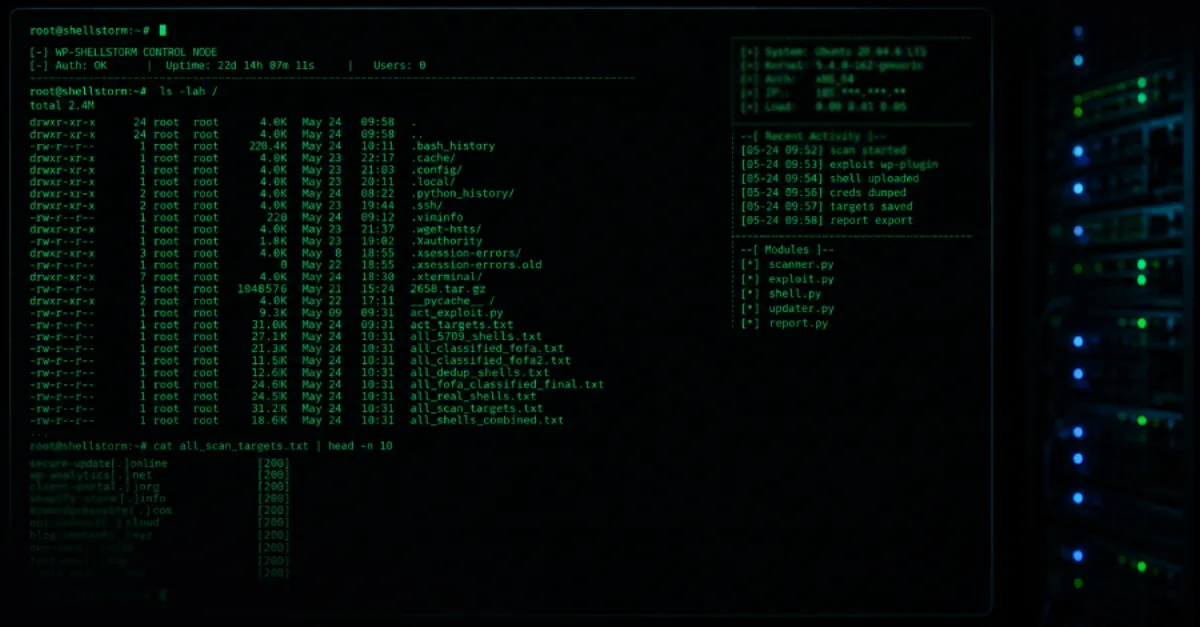
Open Hacker Server Exposes WP-SHELLSTORM Backdoor Sweeping Thousands of WordPress Sites
A misconfigured criminal server gave defenders a rare look at WP-SHELLSTORM, a malicious tool used to plant hidden backdoors in thousands of WordPress websites.
A server that attackers left open to the internet has revealed a malicious tool called WP-SHELLSTORM, which has been used to plant backdoors in thousands of WordPress websites. WordPress is a popular content management system, a type of software that lets people build and manage websites without deep coding skills. A backdoor is a hidden access point left behind by an attacker so they can get back into a website later, even after the original break-in is closed. The exposed server offered a direct view into the files and control mechanisms behind this campaign.
The attacker server is significant because such systems are normally kept private. When one is left accessible, defenders can examine the exact tools, logs, and scripts the criminals use. The name WP-SHELLSTORM combines WP, a common shorthand for WordPress, and shell, a small program that accepts commands from a remote user. Attackers often use shells to run commands on a victim's web server without needing the site owner's normal password. That means even a well-chosen password may not stop an attacker who already has a shell installed.
For website owners, a backdoored WordPress installation is a serious problem. Once attackers have a backdoor, they can change pages, steal customer data, redirect visitors to scam sites, or use the server to send spam. Many hijacked sites are quietly added to a botnet, a network of compromised computers controlled remotely to carry out attacks or other illegal tasks. Site owners may not notice anything obvious, but common signs include unknown administrator accounts, strange files in the WordPress directories, unexpected changes to the site, or a sudden rise in server resource usage.
The discovery is a reminder that WordPress sites need active maintenance. The WordPress core software, themes, and plugins receive security updates, but attackers move quickly once a flaw becomes known. Site owners should remove any administrator accounts they do not recognize, update all software, and scan for malicious files. Changing passwords for the WordPress dashboard, hosting account, and database is also important, especially if a backdoor may have captured login details.
For site owners who would rather not manage WordPress security on their own, AEU Hosting provides managed WordPress hosting secured end to end, with the hosting environment and the WordPress software protected as one integrated system so that backdoors like WP-SHELLSTORM have fewer hiding places.
How to Protect Yourself
- Log in to your website's admin area and remove any user accounts with full control that you did not create yourself.
- Update your website software, including any extra features called plugins and the look-and-feel theme, to the newest version available.
- Use your hosting provider's security tool or a trusted security plugin to scan your website files for anything that should not be there.
- Change every password connected to your website, including the main login, your hosting account, and the site's database password, and use a different strong password for each.
- If you think the site has been taken over, restore it from a backup made before the problem appeared, then change all passwords again.