
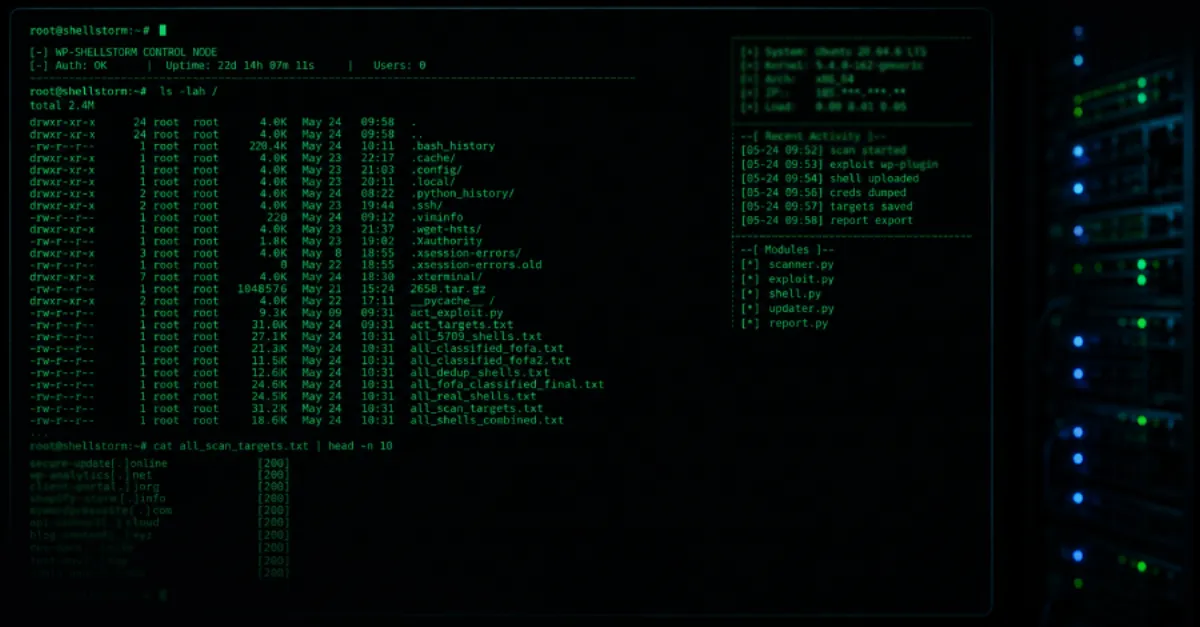
WP-SHELLSTORM Backdoor Discovered on Exposed Server, Thousands of WordPress Sites Affected
A hacker server exposed online has uncovered WP-SHELLSTORM, a tool used to plant hidden backdoors in thousands of WordPress websites, putting site owners at risk of silent takeover.
An exposed server controlled by cybercriminals has revealed a widespread campaign that uses a tool called WP-SHELLSTORM to place hidden backdoors into thousands of WordPress websites. WordPress is one of the most popular tools for building websites, which also makes it a common target for attackers. A backdoor is a piece of hidden code that lets an attacker get back into a website even after the owner changes passwords or removes obvious malware. The discovery of this server gives security teams and website owners a rare look at how such attacks are carried out and how many sites may have been quietly taken over.
The name WP-SHELLSTORM points to a type of malicious program known as a web shell. A web shell is a small script that an attacker uploads to a hacked website. Once it is in place, the attacker can send commands to the server through a normal web browser, effectively controlling the site and the hosting account. The word WP suggests the tool is built specifically for WordPress, which means it can blend in with normal WordPress files and avoid easy detection. Unlike a virus or other malware that deletes files or displays a message, a backdoor like this is designed to stay silent, often for months, while the attacker uses the site for other crimes.
The fact that the attacker's own server was left exposed is significant. An exposed server means that its contents, including lists of infected websites, stolen credentials, or command logs, were accessible to security researchers who found it. In this case, the server revealed the scale of the WP-SHELLSTORM operation, suggesting that thousands of WordPress sites have been backdoored. Website owners rarely know they are affected because the backdoor does not change the visible appearance of the site. Instead, the site may be used to send spam emails, host phishing pages, or redirect visitors to malicious destinations. Over time, search engines and browsers may blacklist the domain, hurting the legitimate owner's reputation and traffic.
For businesses and individuals who rely on WordPress, this incident is a strong reminder that security is not a one-time task. Attackers constantly scan the internet for outdated plugins, themes, and weak passwords. Once they gain access, they often install a backdoor like WP-SHELLSTORM so they can return later, even if the original hole is patched. This is why simply fixing the initial vulnerability is not enough: the hidden backdoor must be found and removed as well. Professional cleanup often requires comparing all files to a known-good copy, checking the database for suspicious entries, and reviewing user accounts for ones that should not exist.
If you suspect your WordPress site may be affected, start by taking an inventory of what should be there. Check the list of user accounts in the WordPress dashboard and remove any administrator accounts you did not create. Look at recently modified files in your hosting file manager or via FTP, focusing on folders like wp-content and uploads, where backdoors often hide. Consider installing a reputable security plugin that can scan for malicious patterns. Since WP-SHELLSTORM is designed to be stealthy, a clean scan does not always guarantee safety, but these steps reduce risk and make it easier to spot unusual changes.
Managed WordPress hosting can reduce this burden by providing continuous monitoring and security hardening. AEU Hosting, for example, offers a managed WordPress environment that includes security measures designed to detect unusual files and block common attack paths. While no hosting service can guarantee complete immunity, using a provider that actively watches for backdoors and keeps the core software up to date is a practical step for website owners who do not have a dedicated security team. The WP-SHELLSTORM discovery shows that backdoors can persist silently, so layered protection and regular checks are essential.
How to Protect Yourself
- Log in to your WordPress dashboard and delete any administrator accounts you do not recognize, because they give someone full control over your site.
- Update WordPress, your theme, and every plugin to the latest version as soon as updates are available, since old versions often have known security holes.
- Change the passwords for your WordPress admin, your hosting control panel, and your database, and use a different strong password for each one.
- Install a well-known WordPress security plugin that scans your site for hidden malicious code and tells you when files change.
- Make regular backups of your entire website, including files and database, so you can restore a clean copy if your site is ever broken into.