
WordPress 7.1.1 fixes Comment2Shell comment flaw
WordPress fixed Comment2Shell (CVE-2026-93485), a core flaw that turned a comment into a hidden script and, once an admin opened the page, into code on the serv…
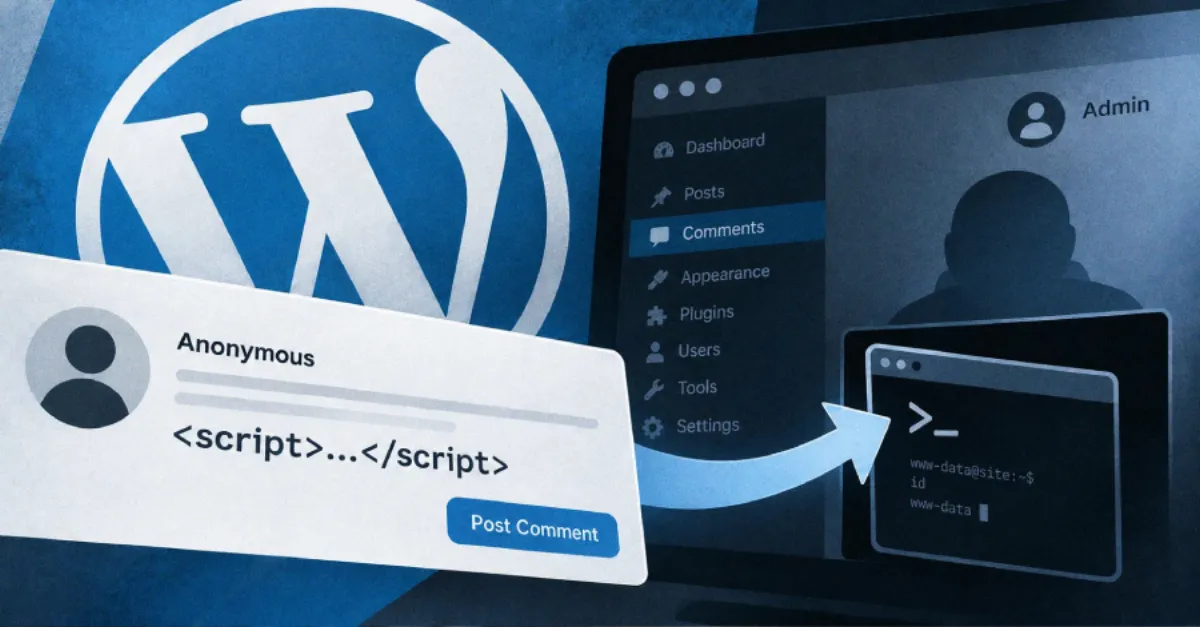
WordPress has released version 7.1.1 to fix a flaw in WordPress core that let an anonymous visitor plant a hidden script through the comment form and, under the right conditions, end with an attacker running commands on the site's server. The flaw is tracked as CVE-2026-93485 and was given the name Comment2Shell. WordPress shipped the fix on September 17 and told site owners to update right away.
There is no sign the flaw has been used in attacks, and it does not appear on the U.S. government's list of actively exploited software flaws. Patchstack, the security company that assigned the CVE identifier, rated it 7.1 out of 10 on the CVSS scale, a widely used severity score that runs from 0 to 10, where a higher number means a more serious problem. Rafie Muhammad, the security researcher who reported the bug, laid out the full chain in a write-up published on September 21.
The flaw sat in a gap between two steps WordPress performs on every comment. First, when a comment is saved, WordPress checks its text for dangerous HTML, the markup language used to build web pages, and strips out what it does not allow. Second, when the comment is displayed, WordPress reformats it. According to Muhammad's write-up, the trick was a line break placed inside the attribute of an HTML tag that WordPress does allow. An attribute is the extra detail stored inside a tag, such as the address a link points to. During the display step, one of WordPress's formatting routines split that tag apart and moved the attacker's text into a position where the browser read it as a live event handler. An event handler is a small piece of code a browser runs automatically when something happens on the page, such as the page finishing loading. No click was required: the script ran as soon as someone opened the page carrying the comment.
That script ran in the browser of whoever opened the page, whether or not they were logged in, and it acted with that person's own level of access to the site. Turning it into code execution on the server needed one more condition: a logged-in administrator had to open the page carrying the comment. The script could then use the administrator's active session, the state that tells WordPress who is logged in so the person does not have to re-enter a password for every action, to upload a plugin containing a web shell. A web shell is a small file that executes whatever commands an attacker sends to it. Installing a plugin through an administrator's browser is a known route from that browser to full control of the server.
The attack also depended on how a site displays its comments. It worked on sites that use a block theme, the kind of design template that builds pages out of the same block system used for content, which has been WordPress's default since the Twenty Twenty-Two theme. Some classic themes were affected as well, where they format comments through the same step; Muhammad's write-up names Twenty Twenty-One as one of them.
For any of this to happen, the comment first had to appear on the page. WordPress described the flaw as exploitable only subject to comment approval. By default, a comment from a new author is held back until someone approves it, so it does not appear on its own. But the researcher described ways around that check that let a comment reach the page without approval. Patchstack's conclusion was blunt: moderation is not a security control.
On the fix itself, the affected versions run from 4.7 through 7.1. The corrected releases for the current branches are WordPress 7.1, which should be updated to 7.1.1; WordPress 7.0, updated to 7.0.5; and WordPress 6.9, updated to 6.9.8. Older branches, back as far as 4.7, have their own fixed release, going back to 4.7.36, and each branch is listed in WordPress's release documentation.
A site that cannot update immediately can shut the way in by closing comments on individual posts or turning comments off across the whole site, and a web application firewall, a filter that sits in front of a website and blocks known malicious requests, or a security plugin may block the crafted comment. Neither WordPress nor the researcher published a separate workaround, and Muhammad recommended simply updating WordPress core, noting that 7.1.1 is a security release. Updating fixes the flaw, but it does not undo any change an attacker already made, so a site with reason to think it was targeted should also look for plugins or files it does not recognise.
WordPress 7.1.1 fixed 11 security problems in all. This comment flaw was the only one that an attacker with no account could reach, and most of the others required a logged-in user with some level of access. The same release fixed a second flaw, called Click2Shell, in which a crafted link could make WordPress install a theme and, together with a second weakness in that theme, run code on the server. It, too, required a logged-in administrator to open the link.
The wider picture matters for anyone running a WordPress site. WordPress core has had other serious flaws this year. In July, a bug called wp2shell let attackers run code with no login at all, and U.S. authorities later listed it as used in real attacks. In August, researchers turned a scripting flaw in the login page into code execution through an administrator. Those are separate flaws from the comment bug, and none of them changes the basic lesson: comment forms and login pages are doors into a site, and the only reliable answer to a known flaw is the vendor's fixed release, applied quickly.
For site owners who would rather not chase release notes themselves, AEU Hosting, the company's managed WordPress hosting, is built around keeping the platform and its updates managed for the sites it runs, which is exactly the routine that decides whether a fix like 7.1.1 reaches a site on the day it ships or months later.
How to Protect Yourself
- Log in to your WordPress dashboard, open the Updates screen and install the newest version, or ask your hosting provider to update WordPress for you.
- If you cannot update today, turn comments off for the whole site (Settings, then Discussion) until you can install the fix.
- Do not treat comment approval as protection: reviewers found ways to get a comment onto the page without approval, so update instead of relying on moderation.
- Switch on automatic updates for WordPress if your hosting package offers them, so future security releases install without you having to remember.
- If you think your site was already targeted, ask a professional to check for plugins, themes or files you do not recognise, because updating does not remove anything an attacker already added.
- Give administrator access only to people who need it, remove old unused admin accounts, and use strong unique passwords with two-step login.
Vulnerabilities & Fixes
- CVE-2026-93485 The identifier assigned by Patchstack to the WordPress core comment flaw called Comment2Shell, fixed in WordPress 7.1.1 and its backports on September 17. View the fix & details →
Terms Explained
- WordPress core The main set of files that run a WordPress website, as opposed to the themes and plugins added on top of it.
- CVE A public reference number given to a known security flaw so that everyone can track and discuss the same one.
- CVSS Common Vulnerability Scoring System, a score from 0 to 10 that rates how severe a security flaw is.
- plugin An add-on piece of software that gives a WordPress site extra features, such as a contact form or a shop.
- web shell A small file placed on a server that lets an attacker run commands on that server from a distance.
- block theme A type of WordPress design template that builds the site's pages out of blocks, the same editing system used for its content.
- event handler A piece of code a browser runs automatically when something happens on a page, such as the page loading.
- web application firewall A filter that sits in front of a website and blocks requests that match known malicious patterns.