
Public Exploit Code for SharePoint Authentication Bug Leads to Real-World Attacks
Attackers are now actively exploiting a SharePoint authentication bypass after a public proof-of-concept showed how to break in, putting business data at risk.
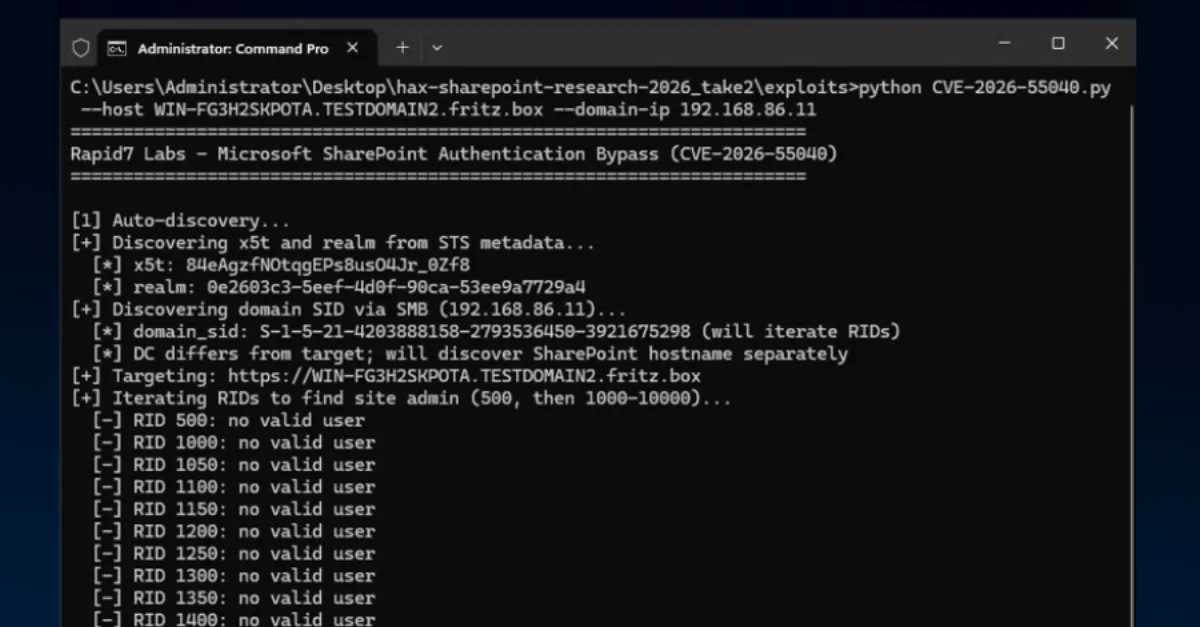
Attackers have begun actively exploiting a security weakness in Microsoft SharePoint that lets them bypass authentication, according to a fresh report. The spike in attacks comes after a proof-of-concept (PoC) code, a demonstration that shows exactly how to take advantage of the flaw, was made public. This development means that any organization running an unpatched or exposed SharePoint server is now at immediate risk of unauthorized access.
SharePoint is a widely used web-based platform from Microsoft that helps businesses store, organize, share, and access documents and information from almost any device. Many companies use it for internal team sites, document management, and even public-facing portals. An authentication bypass is a type of vulnerability where the normal login check can be skipped or fooled, allowing an attacker to reach restricted areas without providing valid credentials. In practical terms, that could mean someone outside the organization can view, download, change, or delete files as if they were a trusted employee.
The public release of PoC code often acts as a trigger for real-world attacks. Security researchers sometimes publish PoCs to help defenders understand a vulnerability and test their own systems, but these same demonstrations give cybercriminals a ready-made blueprint. In this case, after the PoC appeared, attackers quickly adopted it. Even attackers with modest technical skills can use such code to launch automated scans across the internet, looking for SharePoint servers that have not been updated. Once they find a vulnerable target, the bypass lets them slip past the login page and gain a foothold inside the organization's data.
For businesses and website owners, the implications are serious. A compromised SharePoint server can expose sensitive documents, customer information, employee records, and internal communications. Attackers often use this initial access to move deeper into a network, install ransomware, steal data for extortion, or use the server to host malicious files that target visitors. Because SharePoint often connects to other business systems, a single weak point can become a gateway to widespread damage. Even if the SharePoint site itself does not contain highly sensitive data, it may provide enough access for an attacker to escalate privileges and reach other critical systems.
Organizations that rely on SharePoint should treat this as a high-priority alert. The first step is to check with Microsoft for any available security updates and apply them immediately. If a patch is not yet available or cannot be installed right away, it is wise to restrict access to the SharePoint server so that it is not reachable from the open internet. Placing the server behind a virtual private network (VPN) or allowing only specific IP addresses can dramatically reduce exposure. Multi-factor authentication (MFA), which requires a second proof of identity such as a code from a phone, adds another layer of defense even if the login bypass is used. Regular monitoring of SharePoint activity logs can also reveal unusual behavior, like logins from unexpected locations or large file downloads at odd hours.
For readers who manage websites or hosting environments, this story is a reminder that any web-facing application can become a target once a public exploit is available. Keeping software up to date, limiting who can reach administrative interfaces, and monitoring for anomalies are essential habits. AEU-I (https://aeu-i.com) offers security-first IT, infrastructure and consulting services that can help organizations assess and harden their SharePoint deployments and other business systems against this kind of authentication bypass attack.
How to Protect Yourself
- Ask your IT team or hosting provider to check whether your SharePoint servers are updated with the latest security fixes from Microsoft.
- Turn on multi-factor authentication (MFA), which requires a second step like a phone code, for everyone who can access your SharePoint site.
- If your SharePoint site is not meant to be public, restrict access to only people inside your company network or use a VPN.
- Regularly review activity logs in SharePoint for strange logins or file changes, and investigate anything suspicious.
- If you cannot patch right away, consider temporarily disabling external access to your SharePoint site until you can update.