
Cybercriminals Pay Almost $7M for Dropped Domains, Funneling Visitors to Fraud and Malware
Attackers have spent close to $7 million acquiring expired domains, exploiting leftover trust and traffic to redirect visitors toward scams and malware. Website owners and users should understand the risk and how to resp…
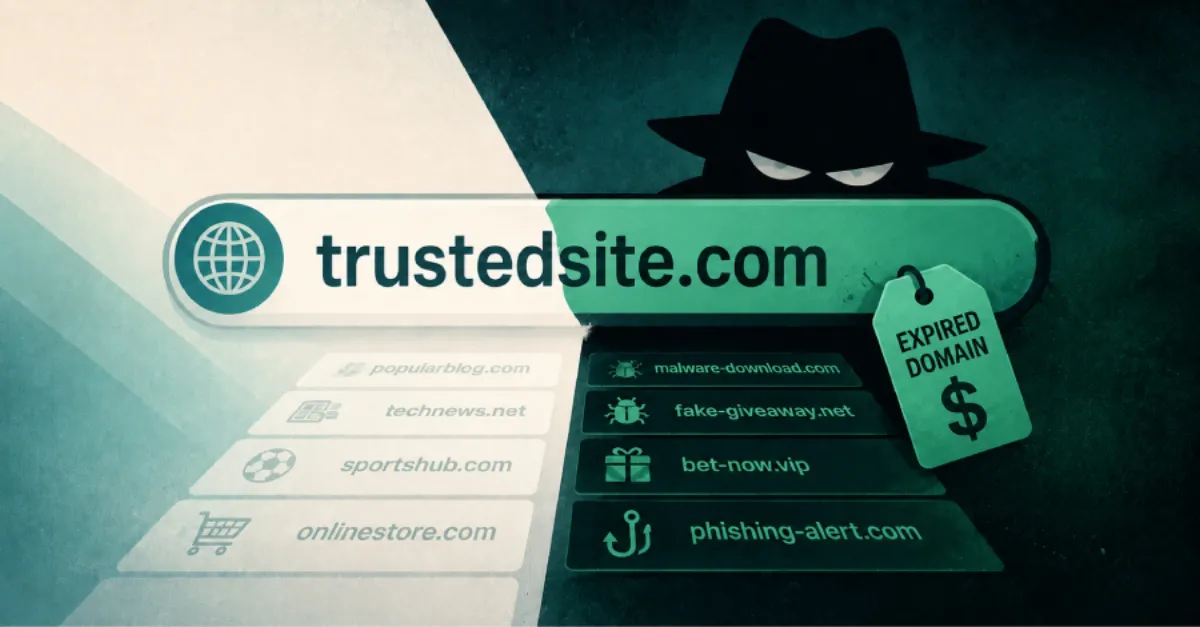
A new report from The Hacker News reveals that attackers have spent nearly seven million dollars to buy expired domain names, then used them to send visitors to scam pages and malware downloads. An expired domain is a website address whose owner did not renew it, so it became available for anyone else to register. Because these addresses were previously used by legitimate businesses or organizations, they often still receive traffic from old links, bookmarks, and search engine results. Criminals exploit that leftover trust to make their fraudulent sites look more believable.
The scale of the spending, close to $7 million, shows that this is not a casual trick but a planned and profitable operation. When a domain expires, any links pointing to it from other websites, social media posts, or email signatures continue to send people to whatever now sits at that address. Attackers can buy the domain, copy the old site's design or set up a fake store, and then intercept visitors who expected the original content. Some of those visitors may be asked to enter passwords or payment details, while others may be tricked into downloading software that secretly takes over their computer.
For website owners, the danger is double. First, if you accidentally let your own domain expire, a criminal could buy it and use your brand, your email address, or your customer base against you. Second, your site may contain links to external domains that have since expired and fallen into malicious hands. Those links then become a path for your visitors to end up on scam pages without realizing they left your trusted website. Regular checks of outgoing links and embedded resources like images or scripts can help close this gap.
Everyday internet users face a subtle risk: a link that looks familiar and safe may now lead somewhere dangerous because the domain behind it changed hands. A web address (also called a URL) is made of a domain name plus a path, and attackers rely on people not checking the full address before clicking. Phishing sites that impersonate banks, delivery services, or software download portals are common uses for these recycled domains. Malware delivered this way can steal passwords, encrypt files, or quietly join the victim's computer to a botnet, which is a network of hijacked devices used for further attacks.
Defending against this requires attention on both sides. Website owners can set their domain registrations to auto-renew and use a registrar with strong account security, such as two-factor authentication, so a lapse is less likely. They can also monitor their own outbound links and use web tools to check whether any external domains they reference are still under their original control. For visitors, the usual rules apply: avoid clicking links in unexpected emails, type important addresses directly into the browser, and keep your device's operating system and antivirus up to date.
One practical layer of protection is to use a DNS service that you trust. DNS, short for Domain Name System, is the internet's phonebook that turns a domain name into the numeric address of the server hosting the site. A reliable DNS resolver like AEU DNS, which offers private and secure resolution, can reduce the chance that your computer asks a malicious or compromised directory for website addresses. While no single tool stops all expired-domain abuse, combining secure DNS with good browsing habits makes these attacks harder to pull off.
How to Protect Yourself
- Turn on automatic renewal for your website's domain name so it cannot expire and be bought by someone else.
- If you have a website, check for old links to outside sites and remove or replace any that no longer lead to the original owner.
- Before clicking a link, hover your mouse over it to see the real web address it leads to, and do not click if the address looks odd or unfamiliar.
- Keep your computer's automatic updates turned on so security patches install themselves and block known malware.
- Set up two-factor authentication on your domain registrar account to prevent someone from taking over your domain.